Messaging a tipster
You reply to a tipster inside the message thread attached to their case. There is no separate messaging tool, and no address to reach them outside that one thread.
Find the thread
Section titled “Find the thread”Two ways to get there:
- Messages, which lists every case with reporter activity across your queue. One view shows cases with a reply you haven’t opened yet; a second shows every case with a message on either side.
- The case itself, open to its dialogue section. It’s the same thread, reached from inside the case you already have open.
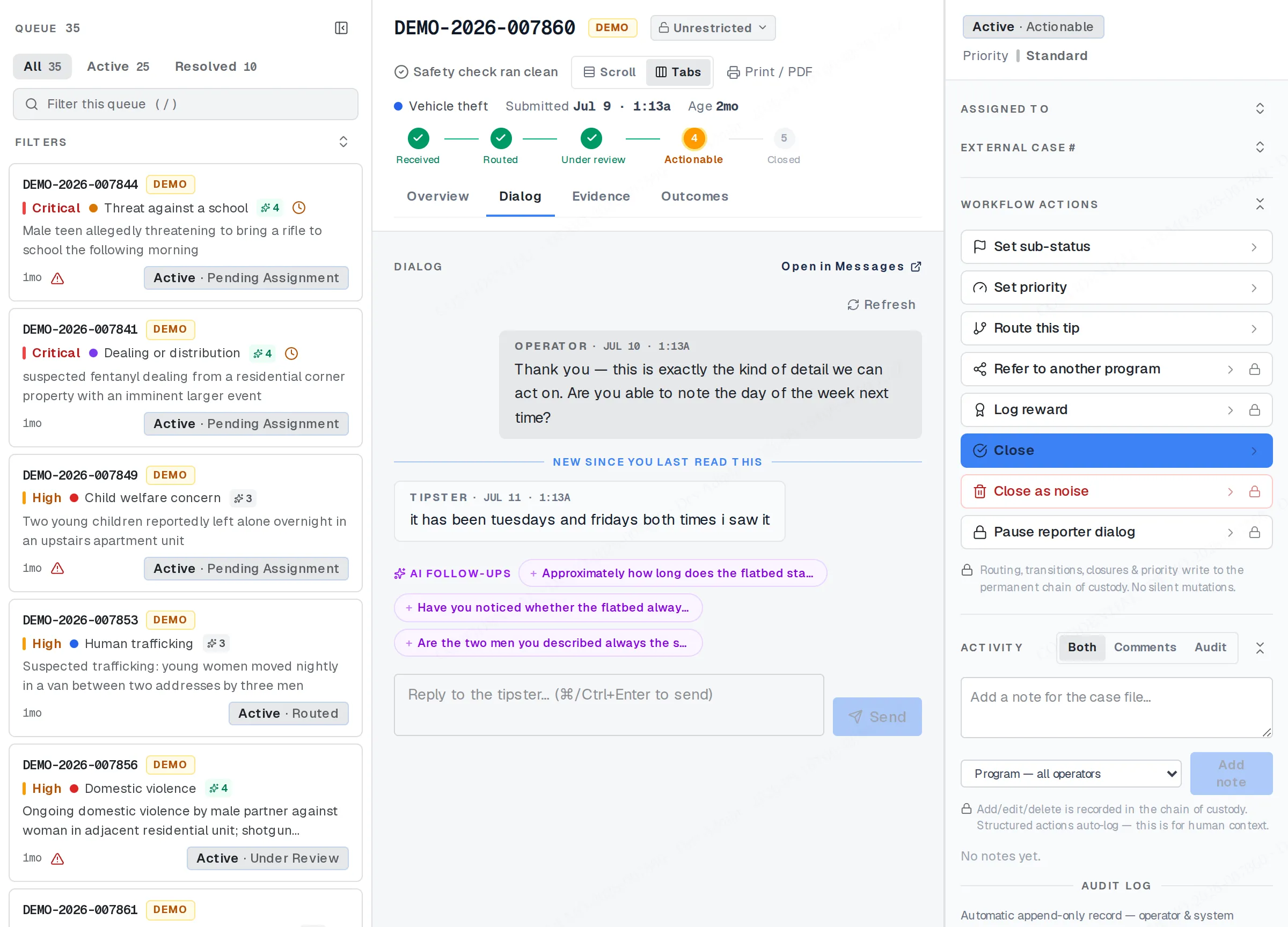
The Dialog tab: the thread with the reporter.
- Open the thread. This decrypts it on the spot, and that open is logged as an access, the same accountability that applies to opening the rest of the case.
- Read what’s there.
- Type your reply and send it.
The thread carries no identifying signal about the tipster — no name, no device, no location — beyond whatever they choose to write to you.
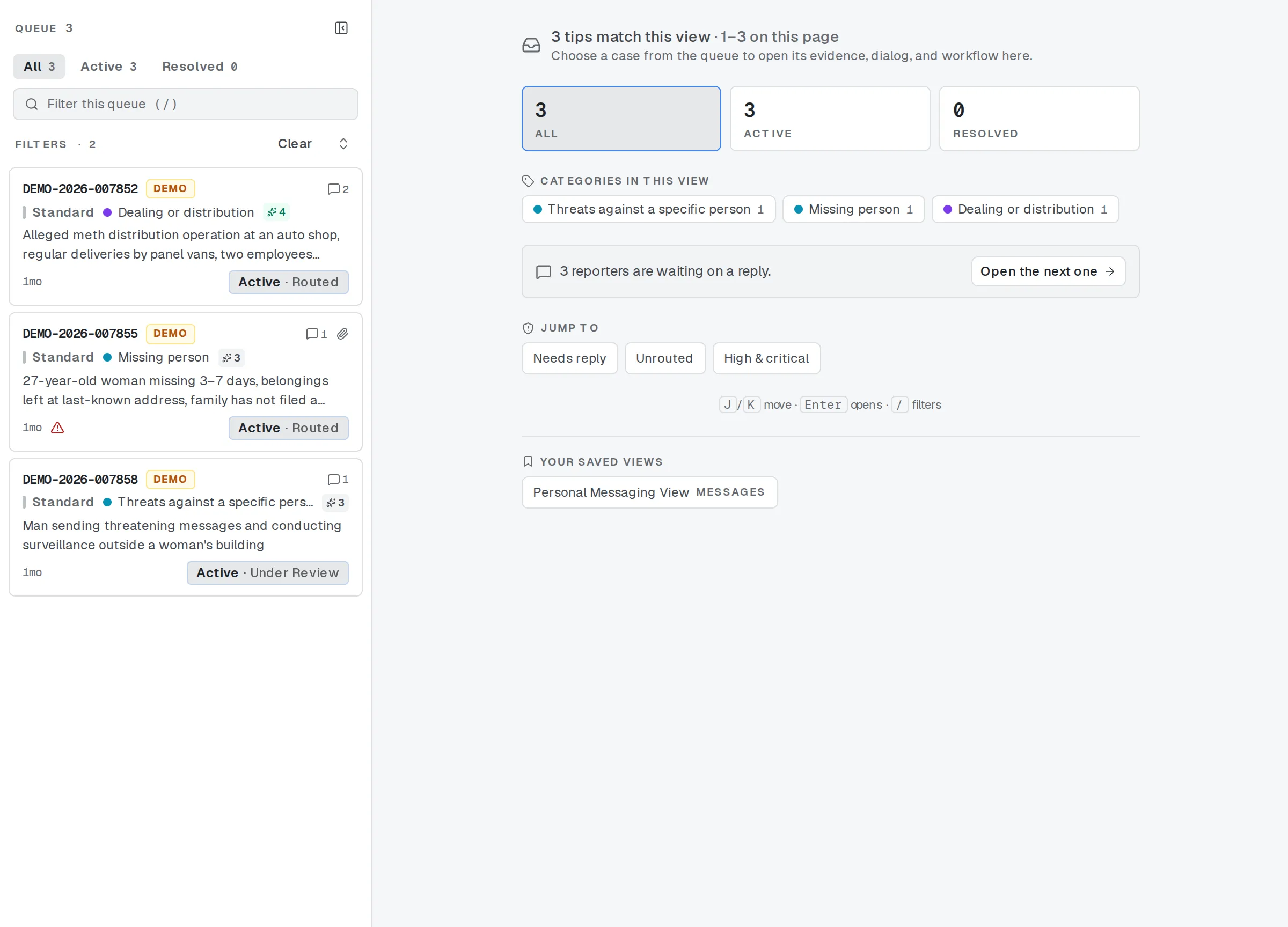
Messages: every thread in one place.
What reaches them, and when
Section titled “What reaches them, and when”Your reply does not push out to the tipster. There is no email, no text message, and no notification of any kind. They see it only when they come back and check their case with their own tip code.
Messaging also depends on that case having a passphrase: the extra lock a tipster can add, and the same key that unlocks the thread on their side. If they haven’t set one, they can still confirm their case was received, but they can’t open any message, including ones you’ve already sent, until they add a passphrase of their own.
A limit on how fast you can send
Section titled “A limit on how fast you can send”Sending on a single case is capped over a short trailing window. It exists to catch a stuck retry or a copy-paste loop, not to slow down ordinary back-and-forth: a handful of replies in a normal conversation never comes close to it. If you do hit it, wait a moment and send again. It only counts sends on that one case, and your program admin can raise or lower the number it allows.
When the thread is paused
Section titled “When the thread is paused”Two kinds of case can’t be messaged:
- A draft. The tipster hasn’t finished submitting yet, so there’s no case to reply to.
- A closed case. Closing pauses the thread. The one exception: if a reward on that case is still waiting to be picked up, the thread stays open so you can coordinate the pickup.
Reopening the case lifts the pause for any other reason you need to message again.
Related
Section titled “Related”If a thread looks frozen and you’re not sure why, or a case needs an exception to the send limit, your program admin can check the setting behind it.