Call-center intake from the operator side
A tip taken by phone lands in your queue looking like any other case: the same category, the same structured fields for a suspect, a vehicle, or a victim, and the same free-text narrative. The call-center console builds it from the same pipeline your program’s self-service submission uses. A call-taker fills in what the caller says, and the console encrypts it on the spot, before anything reaches TypVault.
The call-taker who captured it worked as a conduit for what the caller said, not as an investigator on it. Once the case is in your queue, nothing about its shape reveals that it started as a phone call. The one visible difference is how the reporter checks back in, covered below.
What the call doesn’t carry
Section titled “What the call doesn’t carry”The call itself isn’t part of the record. The console keeps no phone number, no caller-side IP address, no location for the caller, and no recording of the call: none of that has a field to land in, on this console or anywhere after it.
A working notepad sits beside the capture form, for anything the call-taker needs to jot mid-call. It’s scratch for that one call: it clears the moment the call ends, and it never leaves the call-taker’s own screen.
What is on the record is which of your operators captured the case: the same attribution your program already keeps for every action taken on a tip. That entry is about your call-taker’s own work. It is never a trace of who called.
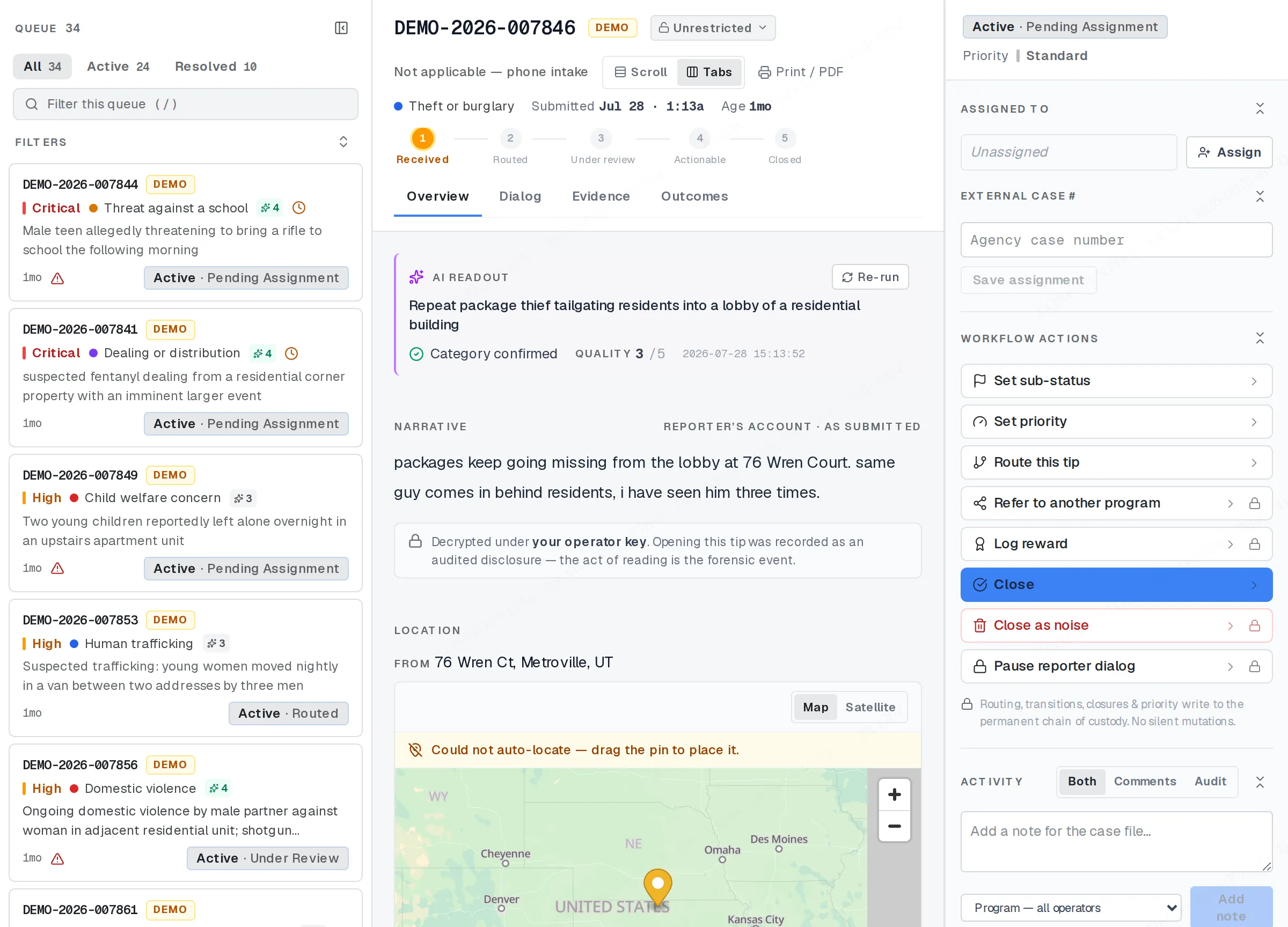
A phoned-in tip in the Workspace.
Retrieval without a passphrase
Section titled “Retrieval without a passphrase”There’s no passphrase step on a tip taken by phone. Before the call ends, the console generates a retrieval code, and the call-taker reads it aloud. That code alone is what the caller uses afterward to check the case.
That has the same consequence as any case whose reporter hasn’t set a passphrase yet. They can check status with the code alone, but the message thread stays locked until they come back and set a passphrase themselves. Your reply, if you’ve already sent one, is sitting there. It just isn’t readable to them until then. See Messaging a tipster for how that plays out on a case you’re replying to.
The intake check still runs
Section titled “The intake check still runs”Every tip gets the same automated check the moment it’s logged, phone or not. What differs is which step confirms the content is right. A self-service reporter walks through an on-screen review before they submit. On a tip taken by phone, that confirmation is the read-back the call-taker does out loud, before the case is logged at all. That confirmation step is covered from the call-taker’s side.
Where “phone” is visible to you
Section titled “Where “phone” is visible to you”The case itself carries no separate label for how it arrived, in your queue or in its detail view. The one place the channel shows up on its own is your program’s Insights, where tips taken by phone can be grouped and counted alongside every other channel your program takes tips through.
Related
Section titled “Related”If a case in your queue was taken by phone and something here doesn’t match what you see, check with your program admin. Your program’s console may be running a different version of this flow.