Sensitivity classes and compartments
Every case carries a sensitivity class. Most stay in the default class, Unrestricted, and follow your program’s ordinary routing and role rules. A program admin can move a case into one of three restricted classes instead: Sealed, Internal Affairs, or Intelligence. Each walls the case off to a small group of staff, regardless of anyone’s rank.
What the restricted classes are for
Section titled “What the restricted classes are for”- Sealed: a case held back from the general queue for any high-sensitivity reason.
- Internal Affairs: a case that involves program or agency personnel, kept separate from the people it concerns.
- Intelligence: a case restricted to staff working intelligence matters.
All three work the same way: opening one requires either membership in that specific compartment, or being the operator the case is currently assigned to. Anyone else is shut out, whether they hold the highest role in your program or the newest account.
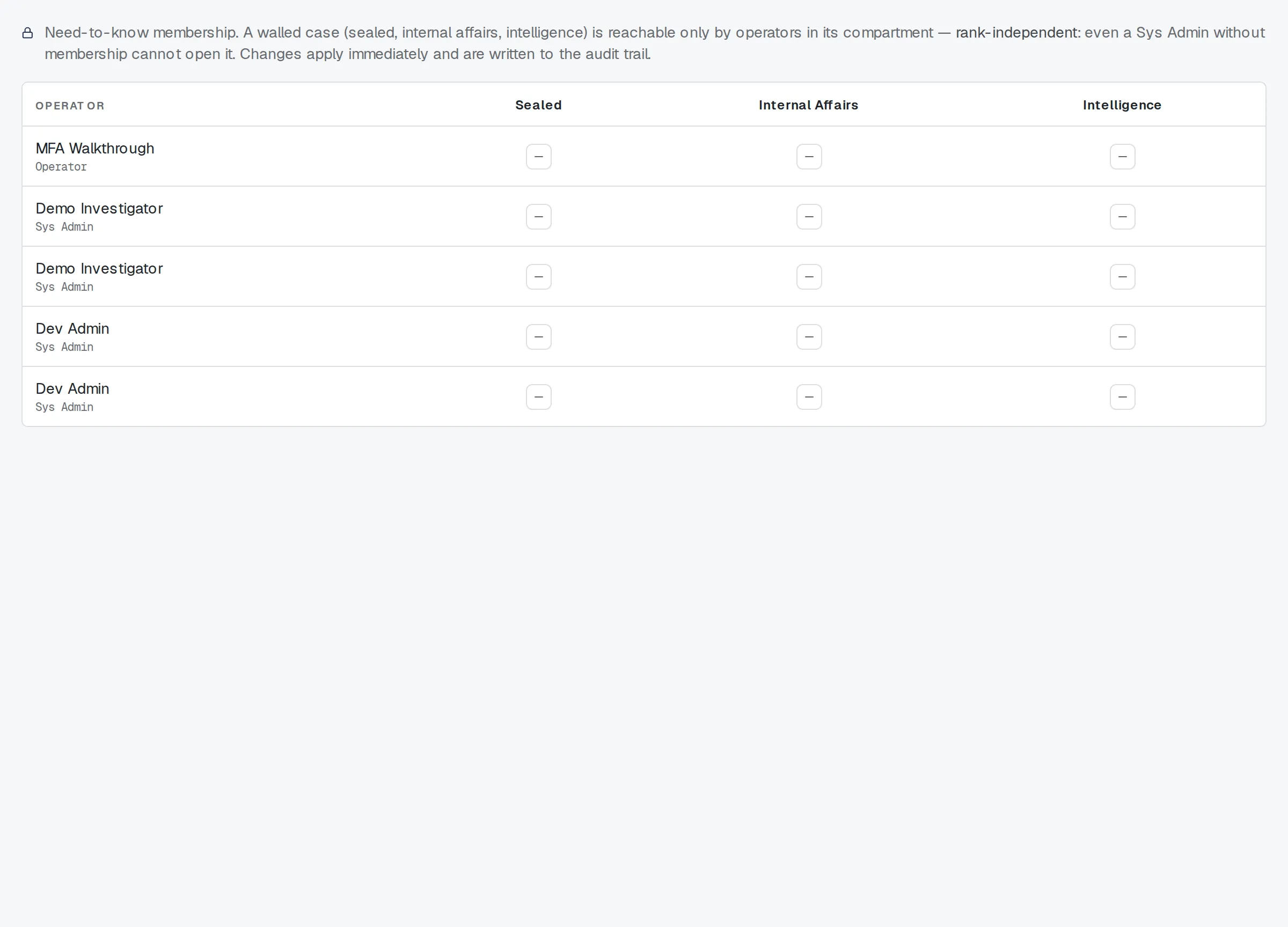
Compartments.
Membership, not rank
Section titled “Membership, not rank”Compartment membership is a separate list from your role, and a program admin manages it person by person. Adding someone to Sealed doesn’t add them to Internal Affairs, and neither follows from being a program admin or sys admin.
A sys admin outranks every other operator role, but rank buys nothing here: without active membership in a compartment, a sys admin can’t open a case walled into it, and neither can anyone else outside that group.
Reclassifying a case
Section titled “Reclassifying a case”Moving a case between classes is a program admin task, done from the sensitivity control on the case header in your workspace.
- Open the case in your workspace.
- Find the sensitivity control on the case header. It shows the current class, with a lock icon on the three restricted ones.
- Choose a new class. Moving into Sealed, Internal Affairs, or Intelligence asks you to confirm, since it walls the case away from most of the program’s other staff going forward.
- Confirm. You can only reclassify into a compartment you already belong to: you can’t wall a case into a group you’re not a member of yourself. Moving a case back to Unrestricted doesn’t require membership in anything.
What a blocked operator sees
Section titled “What a blocked operator sees”If a case is walled off and you’re neither a compartment member nor its assigned operator, it won’t appear in your queue. Opening it directly — a saved link, a search hit, a reference from another case — fails the same way a nonexistent case would. TypVault never distinguishes “this case exists but you can’t see it” from “this case doesn’t exist,” because that distinction would itself tell you something you’re not supposed to know.
If you believe a case should be visible to you, ask your program admin to add you to its compartment, or to check whether it’s assigned to you.
A history of every change
Section titled “A history of every change”Every compartment membership grant or removal, and every case reclassification, is logged with who made it and when, so a program admin can trace how a case’s access has changed over time.
Related
Section titled “Related”- Getting started as an operator
- Reading a tip
- Routing, referring, and cross-program transfers
- How TypVault protects you
If a class or compartment does not match what you expect, ask your program admin.