Program administration: users, roles, org units, retention, taxonomy
Program administration covers the platform-level settings that keep a program running: who has an account, what each role can do, how your agency hierarchy is organized, how long closed tips are kept, and how your status labels work. These are administrative controls, not day-to-day tip handling: tip actions live in your workspace.
Adding and managing users
Section titled “Adding and managing users”A system admin adds a new operator account from the user list: an email address, a display name, and a starting role. There’s no separate invitation step: the account is created directly and becomes usable the next time that person signs in.
From the same list, a system admin can:
- Change a person’s role.
- Suspend or deactivate an account, or reactivate one that was deactivated.
- Open a person’s detail page to review their sign-in history and language proficiencies.
Only a system admin can create a user, change a role, or change status. A program admin’s authority stops short of these actions.
A system admin can’t change their own role or deactivate their own account through this screen; that’s blocked outright, so any role change always has a second person behind it. Every user created, edited, or deactivated is written to the audit trail.
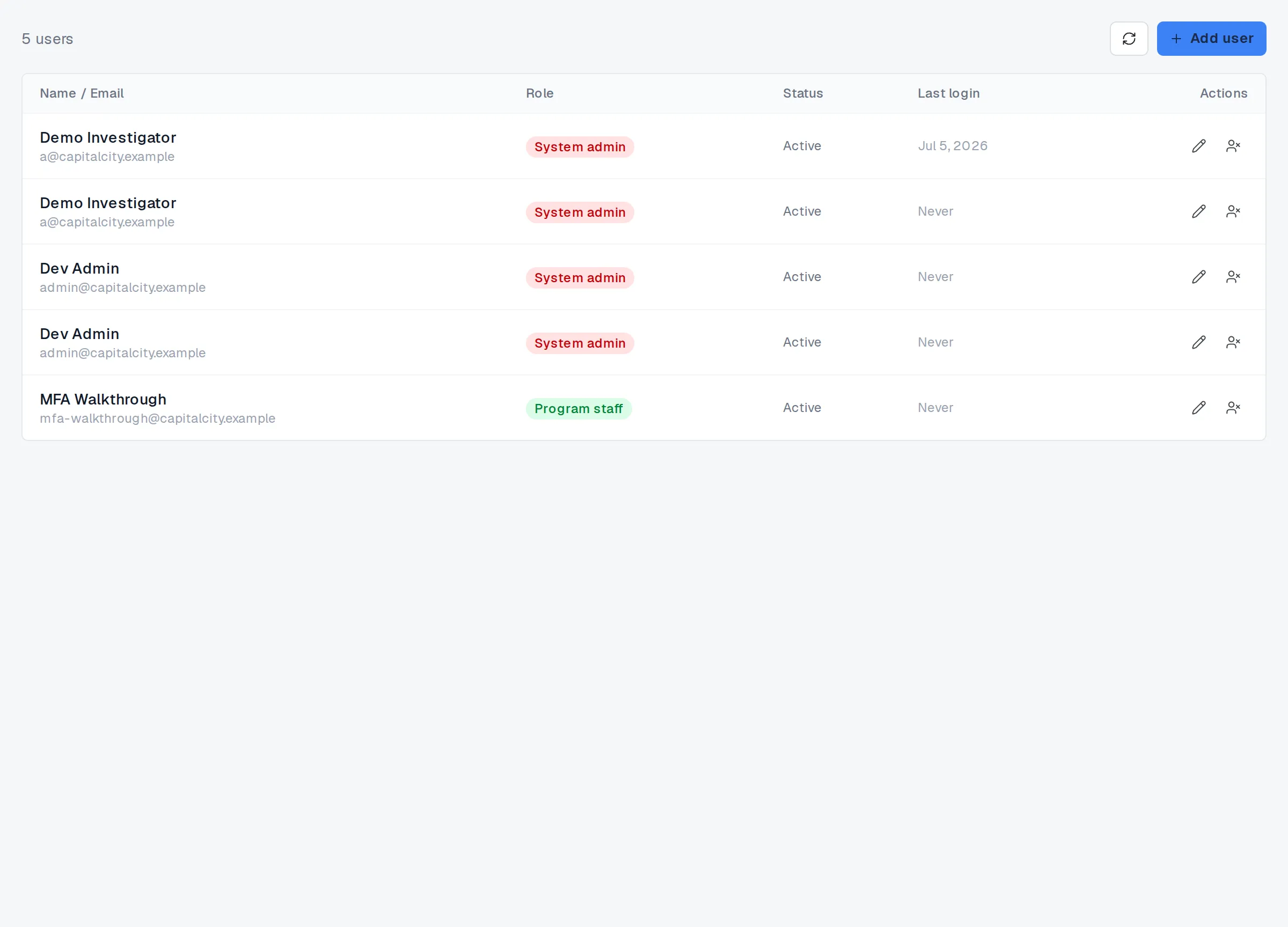
Users.
The two role tiers
Section titled “The two role tiers”TypVault’s roles come in two independent tiers. The first is your operator-wide role: program staff, program admin, or system admin, each a step up in authority from the last, with system admin as the full-access tier reserved for platform administration. The second tier is separate and applies only to staff at a recipient agency your program routes tips to: an agency user acts on tips sent to their agency, and an agency admin also manages that agency’s own members. The two tiers don’t overlap: a recipient-agency role carries no operator-wide authority, and vice versa.
A program admin can also fine-tune what each non-locked role is allowed to do, action by action — routing, reassigning, closing a tip, requesting an export, and similar — from the roles and permissions screen. The system admin tier itself can’t be narrowed; it’s the platform’s break-glass authority and always keeps full access.
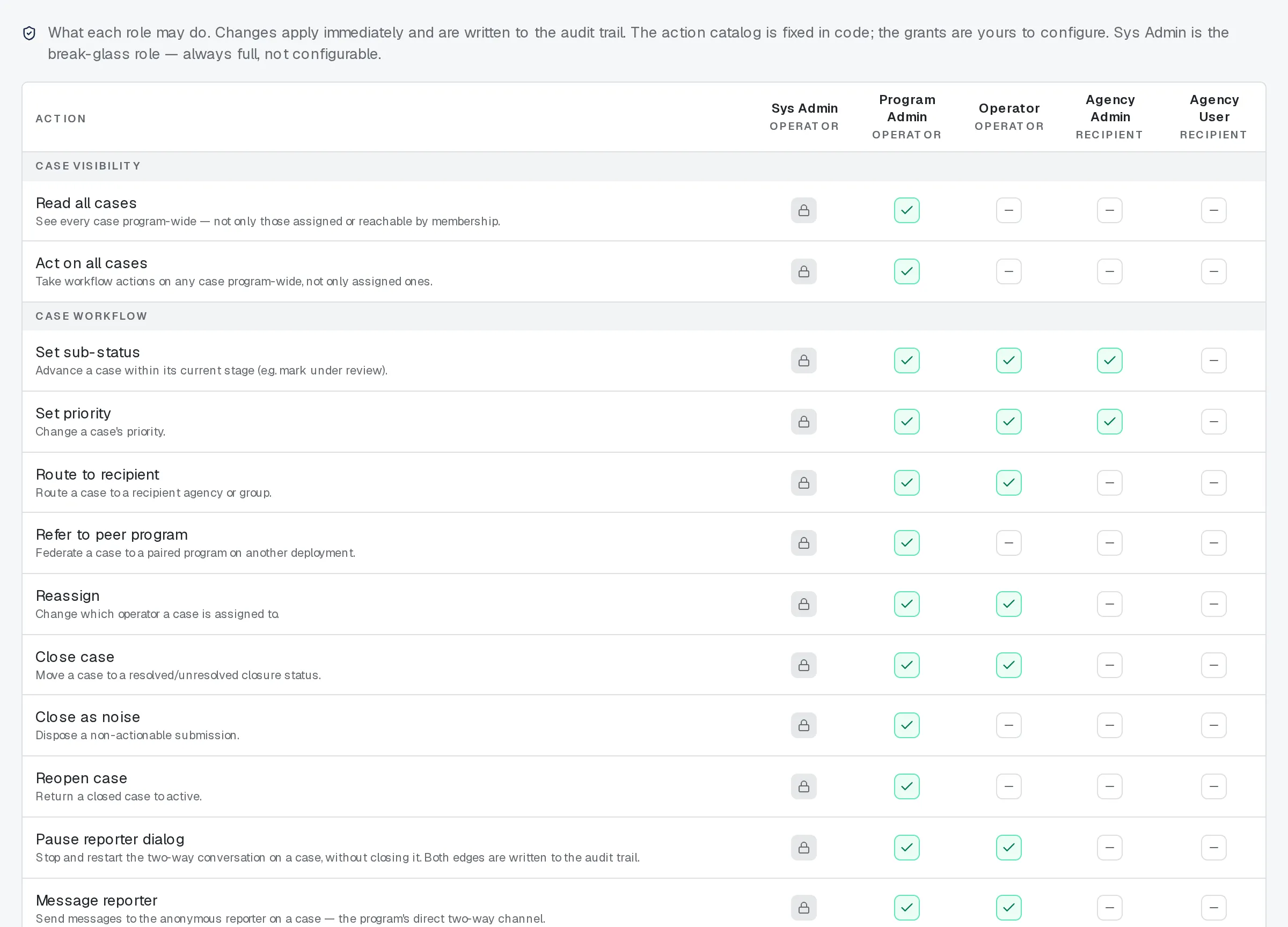
Roles and permissions.
Org units: the agency hierarchy
Section titled “Org units: the agency hierarchy”Org units are the tree your tips route through: precinct under borough under department, or whatever hierarchy fits your program. A program admin creates, renames, and moves units anywhere in the tree. A delegated admin — an agency admin scoped to one branch — can do the same, but only within their own branch; moving a unit outside that branch, or restructuring the branch’s own boundary, stays a program-admin action.
Anyone signed in, from either role tier, can see the whole tree — it’s routing structure, not tip content — even if they can’t edit any of it.
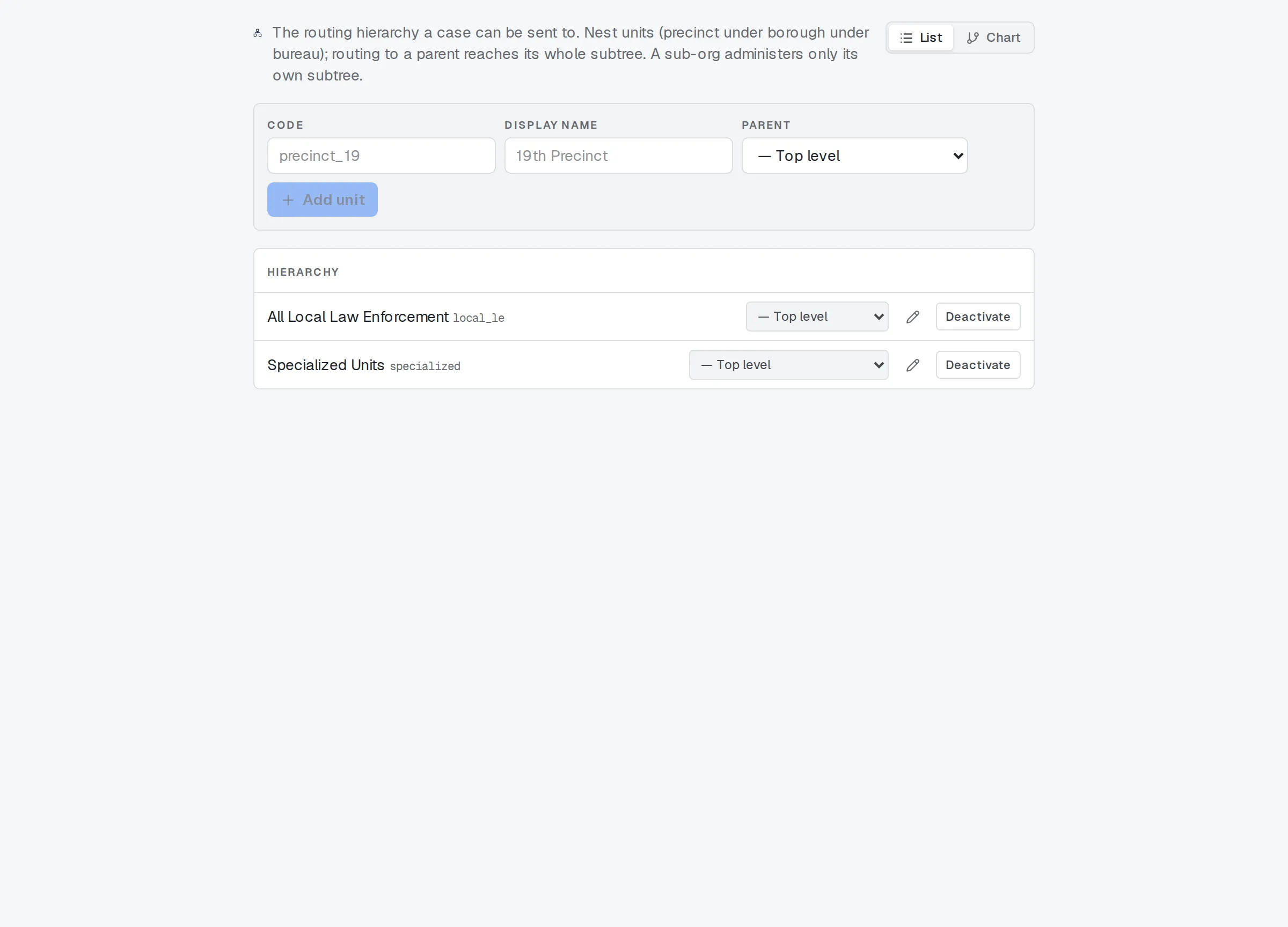
Org units.
Retention: review before purge
Section titled “Retention: review before purge”Two settings control how long a closed tip is kept: how many days pass before it’s due for review, and how many hours after closing it can be reopened without a system-admin override. A system admin sets both; the retention window can’t be set below a 1,000-day floor.
When a tip reaches its retention window, TypVault doesn’t remove it outright: it flags the tip for review instead. An authorized operator then decides: reaffirm it, which resets the clock, or clear it for permanent removal. Only a cleared tip is ever actually destroyed, and destroying it also destroys the key that protected its contents, so nothing left in the live system can read what it said.
The audit trail itself isn’t part of this window. It’s kept on a fixed schedule of its own, because no application role can edit or delete an audit row at all.
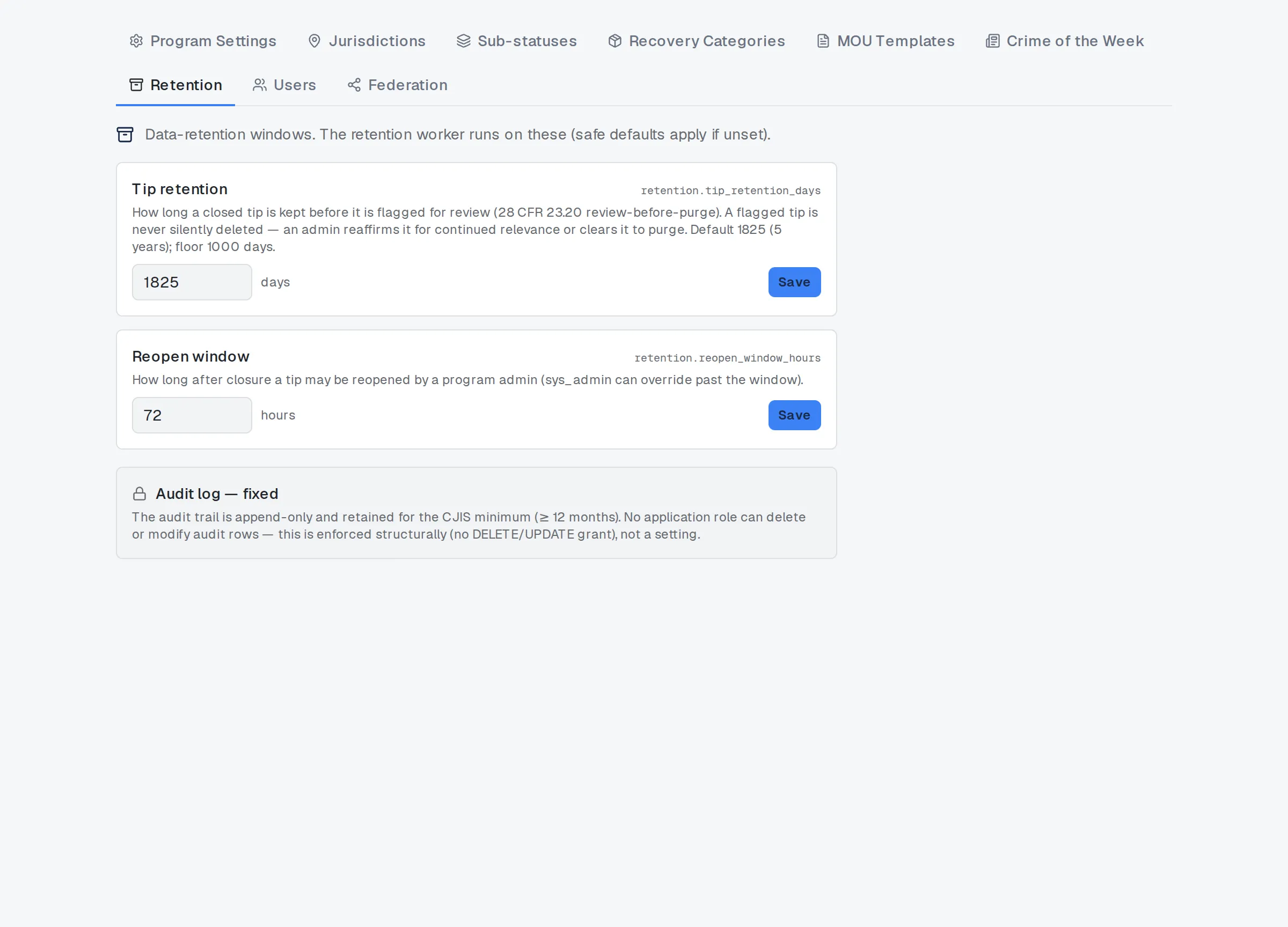
Retention settings.
Status taxonomy: shape it to your program
Section titled “Status taxonomy: shape it to your program”Every tip’s five primary stages — draft, active, resolved, unresolved, closed — are fixed platform taxonomy; no program can add, rename, or remove one. What you can shape is the sub-status underneath each stage: the specific labels your program actually uses, such as “awaiting warrant” or “confirmed duplicate.”
A program admin adds a sub-status under any stage, marks whether reaching it counts as closing the tip, and sets the order it displays in. Retiring one doesn’t remove it outright: a sub-status already in use on a tip is deactivated instead, so nothing on an existing tip goes missing. A small number of sub-statuses are locked platform defaults and can’t be edited at all.
For how these statuses move a tip through its day-to-day lifecycle, see Statuses, sub-statuses, and the tip lifecycle.
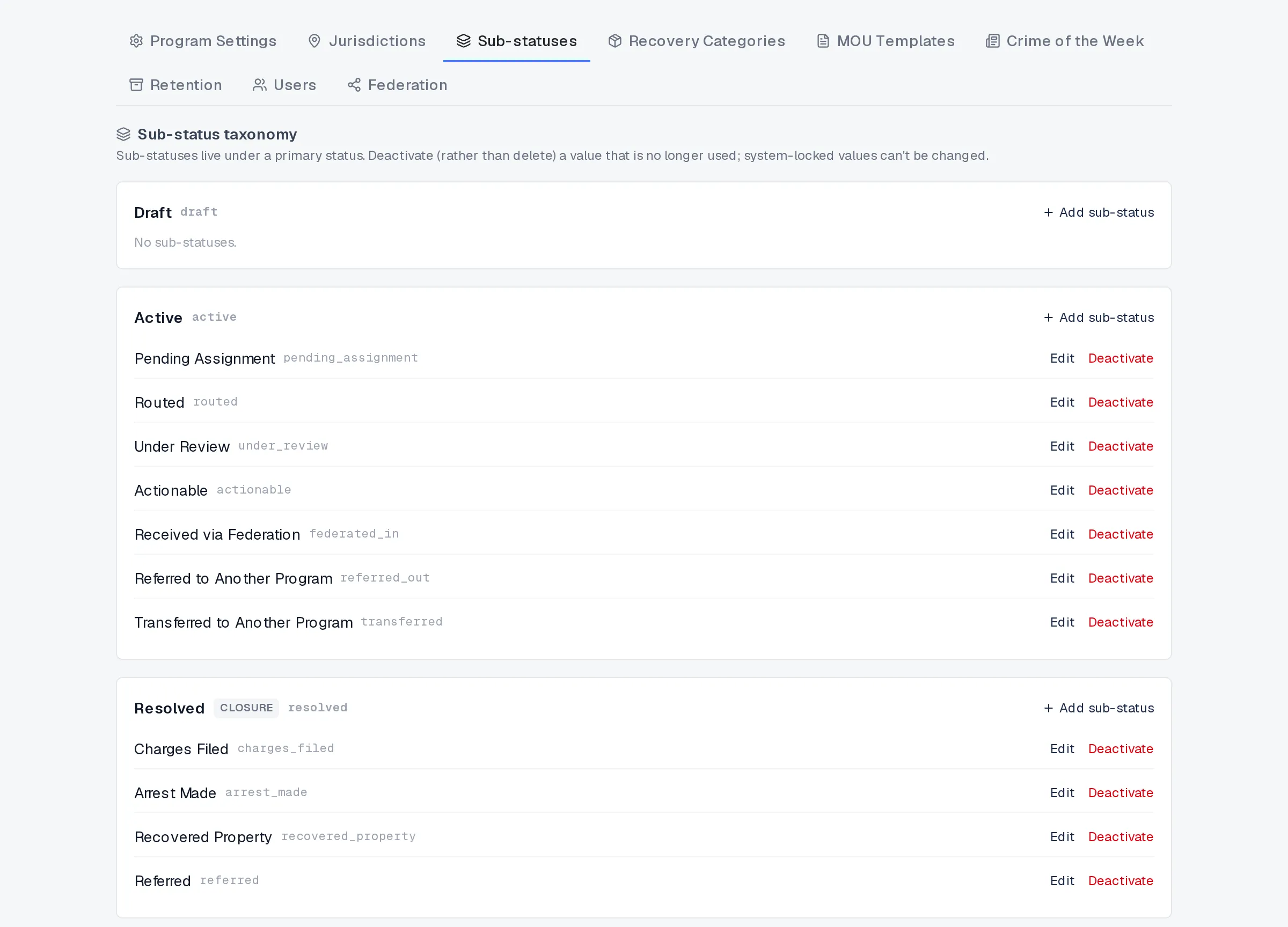
Sub-statuses, shaped to your program.
Related
Section titled “Related”- Statuses, sub-statuses, and the tip lifecycle
- Sensitivity classes and compartments
- Signing in and two-factor authentication
- Access Review for supervisors
If something here doesn’t match what you see in your program, ask your system admin, or see How TypVault protects you for the underlying guarantees.